


In the previous article I promised that the device in your pocket can be a real development environment. The first piece of that puzzle is a usable shell. On Android that means Termux.
Termux is a package-managed, Linux-flavored environment that runs on Android
without root. It is not a full Linux distribution (we'll get to that in the next
article), but as a launchpad it is excellent. It allows you to run tools like
ssh or full (almost) Debian on your Android phone!
Termux is available in Play Store so installation is straightforward.
Termux as an entry point
Termux itself has a lot of capabilities and packages, but personally I use it in one of two ways:
- Launch a Debian via
proot-distro(covered in the next article). sshinto a remote machine that I've already prepared (covered in thebuild-anywhereseries).
What you install depends on which path you want.
For the Debian path via proot-distro:
pkg upgrade
pkg install proot-distro
For the ssh-only path into a remote machine:
pkg upgrade
pkg install openssh
One thing worth highlighting here: SSH port forwarding works flawlessly from
Termux. If you have a service running on localhost:8000 on the remote machine,
a simple ssh -L 8000:localhost:8000 user@host lets you open it in Chrome on
your Android as if it were hosted locally. Very handy for previewing a local dev
server or a tool that only binds to loopback on the remote side.
Making the on-screen keyboard tolerable
A bare Android keyboard is missing every key that matters in a terminal - no Esc, no Tab, no Ctrl, no arrows. Termux fixes this with a configurable extra-keys row above the keyboard. Mine looks like this:
extra-keys = [ \
 [{ key: 'ESC', popup: 'DEL' }, { key: '`', popup: '~' }, 'SHIFT', 'PGUP', 'UP', 'PGDN'], \
 ['TAB', 'CTRL', 'ALT', { key: 'LEFT', popup: 'HOME' }, 'DOWN', { key: 'RIGHT', popup: 'END' }] \
]
Drop that into ~/.termux/termux.properties and run:
termux-reload-settingsA quick tour of what that buys you:
ESCandTAB- non-negotiable for vim and shell completion. Long-pressESCforDEL.CTRLandALT- the modifier keys that almost every TUI relies on. Tap a modifier, then a letter, to chain combos.- Arrows plus
PGUP/PGDN- cursor movement and scrollback. Long-press the horizontal arrows forHOME/END. `/~- awkward to reach on most software keyboards, but you'll want them constantly for shell prompts and home paths.
Visuals: colors and Nerd Font
A proper color palette and a font with full icon coverage make a real
difference, especially on a phone-sized screen. I drop a Tokyo Night palette
into ~/.termux/colors.properties and install Inconsolata Go (a Nerd Font) at
~/.termux/font.ttf:
mkdir -p ~/.termux
wget https://raw.githubusercontent.com/sobanieca/env-setup/master/colors.properties \
  -O ~/.termux/colors.properties
wget https://github.com/ryanoasis/nerd-fonts/releases/download/v3.0.2/InconsolataGo.zip \
  -O font.zip
unzip font.zip
mv InconsolataGoNerdFontMono-Regular.ttf ~/.termux/font.ttf
termux-reload-settings
If you're wondering why a Nerd Font specifically, I covered the rationale in the terminal setup article - short version: status lines, file explorers, and prompt themes all expect those glyphs.
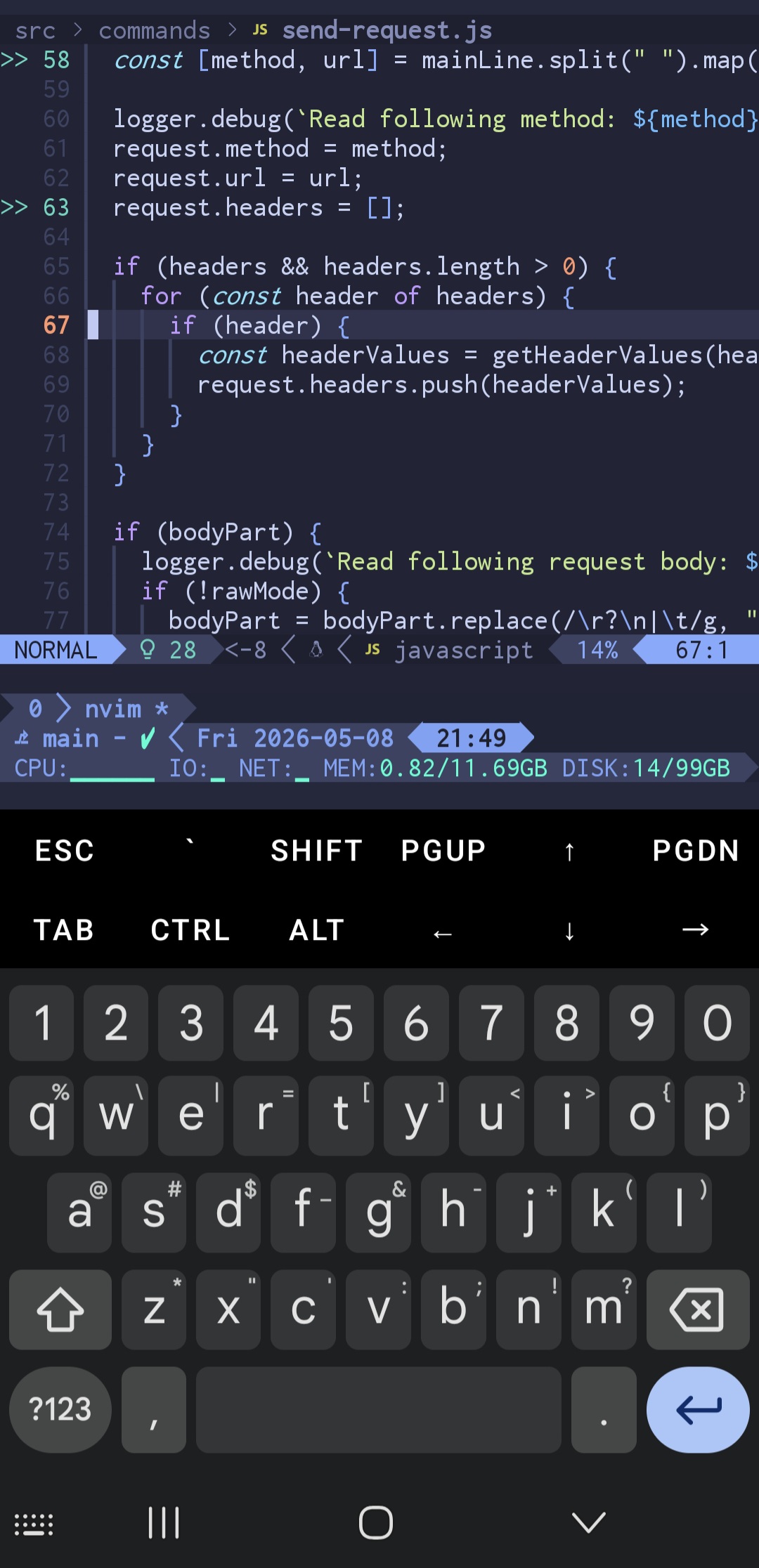
Once everything is configured, Termux lets you really squeeze a lot out of your phone
The one-shot script
If typing all of the above sounds tedious, it is. I keep the whole flow in my env-setup repository and trigger it with a single line:
bash -c "$(wget -O - https://raw.githubusercontent.com/sobanieca/env-setup/master/termux.sh)"That covers the package install, both *.properties files, and the font in one
go. It's nothing fancy - feel free to fork it and adjust to taste. With AI
agents around, tweaking such a script to your own preferences is almost trivial.
What's next
Termux is a great launchpad, but it isn't a full Debian. As soon as something
asks for sudo or expects standard Linux system paths, you'll feel the limit.
That's the cue for proot-distro - a proper Linux distribution running on top
of Termux. We'll set that up next.
Comments