

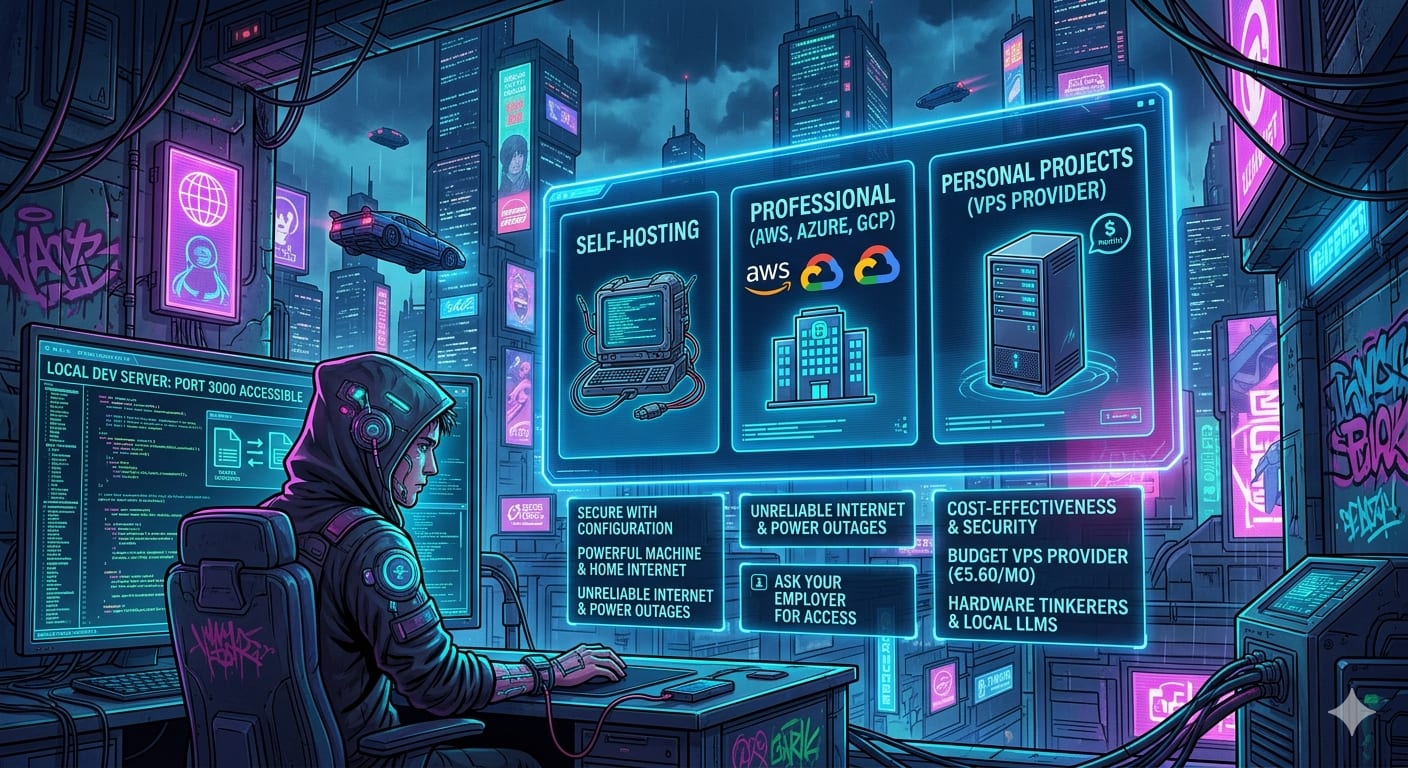
There are many options for hosting a remote development machine. I can't cover all of them, but I'll focus on the ones I've personally tried or considered.
The providers roughly fall into three categories:
- Major cloud providers (AWS, Azure, GCP)
- Budget VPS providers (Contabo, Hetzner)
- Self-hosting your own server
Cloud providers
One of the most obvious choices is selecting one of the major cloud providers like AWS, Azure, or GCP. These services offer a high level of security out of the box, as machines are typically protected by a robust firewall.
Major cloud providers undergo rigorous, recurring audits against industry standards such as SOC 2 and ISO 27001, ensuring continuous compliance with security, privacy, and data protection regulations.
It's also quite common for companies to already use these services. Many employers provide credits for employees to experiment with cloud infrastructure. For example, my previous employer offered Azure credits, which were more than enough to afford a powerful Virtual Machine for my development work.
If your company already hosts its products with a major provider, it's often a simple request for "one more" machine for internal development, assuming your needs are reasonable.
Another useful feature is that you can resize your machine on the fly. If you need more power for a demo or a heavy build, you can double your CPU and RAM with a few clicks.
So what are the drawbacks? Primarily, price. As of this writing, a 32GB RAM machine with 8 vCPUs costs around 60 USD for 160 hours per month. You can get a similar specification much cheaper from a budget provider like Contabo or Hetzner.
Note: I mentioned 160 hours because you don't necessarily need to run your development machine 24/7. To save costs, you can use it on demand. This can significantly lower your bill and might even allow you to afford a more powerful machine than you initially thought!
Budget VPS providers
If you want to cut costs or get more power for the same budget, consider smaller VPS providers like Contabo and Hetzner.
So, what's the catch?
- Limited tool support: The available applications and CLI tools to manage your VPS are often quite limited. For instance, I struggled to make the Contabo CLI work for me and eventually gave up. The web UI can also have its quirks.
- Compliance: Smaller providers may not have the same extensive compliance certifications (although Contabo, for example, does maintain several).
- No security by default: You should expect your machine to lack a default firewall. Often, your server will be exposed to the internet unless you manually configure a virtual network. This means that if you're running a local dev server on port 3000, it's accessible to anyone by default. This is straightforward to fix with manual configuration, which I cover in a later article.
Self-hosting
I haven't tried this myself, but it's worth considering:
- Buy a powerful machine and connect it to your home internet.
- Use a smart plug to turn it on and off remotely as needed.
This can be the most cost-effective solution in the long run, but it requires the most effort. I ultimately decided against it for several reasons:
- Unreliable internet: Without a business-grade ISP, my connection could drop at any time.
- Power outages: A home setup is vulnerable to outages, which often occur at the worst possible times (thanks, Murphy's Law!).
- Space and maintenance: I lack a dedicated space for a server, and any physical hardware issue would require my physical presence to fix.
- ROI: The cost of electricity can reduce the return on investment.
If these aren't concerns for you, it's worth exploring.
What to choose?
As with most things in technology, it depends on your specific needs. Here's a simple way to think about it:
For professional work
If you're using a remote development machine for work, ask your employer for access to AWS, Azure, or GCP. It's often easy to justify:
- Cost-effectiveness: A powerful laptop loses its warranty and value after three years. A $60/month cloud machine costs about $2,160 over that same period. This is often less than a high-end laptop, and your current device only needs to act as a thin client.
- Security and Control: The machine stays within the company's infrastructure. If you leave the company, they can instantly revoke your access. Plus, if your physical laptop is lost or stolen, your data remains secure in the cloud.
- Enterprise benefits: Your company likely already has access to discounted rates or enterprise agreements that make this even more affordable.
For personal projects
If you're working on your own and don't have access to employer-provided infrastructure, go with a budget VPS provider. They're affordable and provide excellent performance for the price. For example, I'm writing this on a Contabo VPS with 12GB of RAM, 6 vCPUs, and a 100GB NVMe drive for around €5.60 per month.
For hardware tinkerers
If you love configuring hardware or need massive compute power (for instance, running local Large Language Models), self-hosting is the way to go. You can tuck a powerful, noisy server in a basement or closet and access it from anywhere in the world with a lightweight device.
The next articles walk through setting up a VPS with AWS and Contabo. If you use a different provider, provision your VPS and skip to Connect and Secure your VPS for the connection and security setup.
Comments